


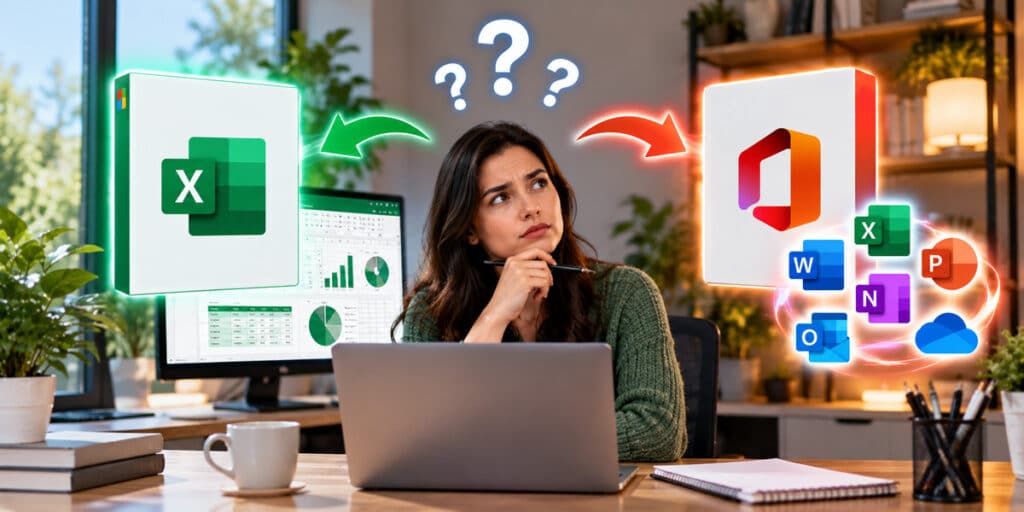
Yes. You can buy Excel on its own, as a one-time purchase, with no Microsoft 365 subscription attached. Microsoft does not advertise this loudly, because the subscription is the product it would rather sell, but standalone perpetual versions of the individual Office apps exist and are sold normally.
This guide covers what standalone Excel costs, what it does and does not include, and the one piece of arithmetic that decides whether buying apps individually is actually the cheaper route. All prices were checked against our live catalog on 1 October 2026.
How Much Does Excel Cost on Its Own?
Excel 2024 is $99.99 as a one-time purchase at Indigo Software, for one PC or one Mac. Microsoft doesn’t sell Excel on its own. To get desktop Excel from Microsoft you’d pay $179.99 for the full Office Home bundle, or $99.99 every year for Microsoft 365 Personal. There is no renewal, no expiry and no subscription.
That is the whole answer for a single app. The more interesting question is what happens when you need two or three, which is the section after next.
Standalone Office App Prices in 2026
Every Office 2024 app below is sold separately, as a perpetual license, for one device. All five are in stock.
| App | Our price | Platforms |
|---|---|---|
| Excel 2024 | $99.99 | Windows or Mac |
| Word 2024 | $69.99 | Windows or Mac |
| PowerPoint 2024 | $69.99 | Windows or Mac |
| Outlook 2024 | $59.99 | Windows or Mac |
| Access 2024 | $99.99 | Windows only |
Microsoft doesn’t sell these apps on their own. Its cheapest routes to the desktop apps are Office Home at $179.99 (Word, Excel, PowerPoint and OneNote), Office Home & Business at $249.99 (adds Outlook), or Microsoft 365 Personal at $99.99 a year.
Access is Windows only. Microsoft has never shipped a Mac version, and that is a Microsoft limitation rather than a licensing one. Everything else on that list installs on either platform, though one license covers one platform on one machine, not both.
The Arithmetic That Decides It
Here is the part worth getting right before you buy, and it cuts against selling you more apps.
If you need one app, buy it alone. Excel on its own at $99.99 is cheaper than any suite, and you are not paying for software you will not open.
If you need two or more, buy the suite. Office 2024 Home is $178.99 and includes Word, Excel, PowerPoint and OneNote together. Buying Word and Excel separately comes to $169.98, which is $9.01 less, so it is close. Add PowerPoint and individual apps cost $239.97 against the suite’s $178.99. The suite wins by $60.98.
| What you need | Individually | Office 2024 Home | Cheaper option |
|---|---|---|---|
| Excel only | $99.99 | $178.99 | Individual, saves $79.00 |
| Word only | $69.99 | $178.99 | Individual, saves $109.00 |
| Word and Excel | $169.98 | $178.99 | Individual, saves $9.01 |
| Word, Excel, PowerPoint | $239.97 | $178.99 | Suite, saves $60.98 |
| All four plus Outlook | $299.96 | $238.98 (suite plus Outlook) | Suite, saves $60.98 |
The crossover is at three apps. Two is a coin toss, one is clearly individual, three or more is clearly the suite. If you land on the suite, our comparison of Office 2024 Home against Home and Business covers the one remaining decision, which is whether you need Outlook bundled in.
What Standalone Excel Includes
A standalone license is the full desktop application, not a cut-down version. You get the complete Excel 2024 feature set as it shipped.
- Every formula and function, including XLOOKUP, dynamic arrays and LAMBDA.
- PivotTables, Power Query and Power Pivot.
- Full VBA and macro support.
- Charts, conditional formatting, data validation and Solver.
- Co-authoring on files you store in OneDrive or SharePoint, if you have storage elsewhere.
If you want to see what the current version actually added, our walkthrough of Excel advanced formulas including XLOOKUP, LAMBDA and dynamic arrays covers the ones worth learning, and the PivotTables and Power Query guide covers the analysis side.
What It Does Not Include
Being straight about the limits matters more than the feature list, because this is where buyers get caught out.
| Not included | Why it matters |
|---|---|
| Copilot | Copilot requires an active Microsoft 365 subscription. No perpetual license includes it. |
| New features after release | You get security and stability updates only. The feature set is locked at the 2024 release. |
| Cloud storage | No OneDrive allocation. Microsoft 365 includes 1 TB; a standalone license includes none. |
| Multiple devices | One license covers one PC or one Mac. A laptop and a desktop need two. |
| The other Office apps | Excel on its own is Excel. Word and PowerPoint are separate purchases. |
Standalone Excel or a Microsoft 365 Subscription?
Microsoft 365 Personal currently costs $99.99 a year and includes every app, Copilot, 1 TB of OneDrive and installs across several devices. Standalone Excel is $99.99 once.
So the subscription costs the same in year one and keeps charging after that. By year three you have paid $299.97 for the subscription against $99.99 for the license you still own. Over five years it is roughly $500 against $99.99.
| Period | Microsoft 365 Personal | Standalone Excel 2024 |
|---|---|---|
| Year 1 | $99.99 | $99.99 |
| Year 3 total | $299.97 | $99.99 |
| Year 5 total | $499.95 | $99.99 |
| Year 10 total | $999.90 | $99.99 |
The subscription is the better buy in exactly one case: you genuinely want Copilot, the cloud storage and the multi-device installs, and you will use all three. If you want a spreadsheet program on one computer, paying every year for it makes no sense. Our full comparison of Microsoft 365 against Office 2024 takes the trade-off apart properly.
What About the Free Version of Excel?
Excel for the web is free with a Microsoft account, and for light work it is genuinely usable. It handles formulas, basic charts and simple PivotTables.
It falls short in ways that matter if Excel is part of your job. There is no VBA or macro support, no Power Pivot, no Solver, limited conditional formatting, a cap on file size, and it needs a connection to work. If you have ever recorded a macro or written a LAMBDA, the web version will frustrate you within an hour. If you build a budget twice a year, it may be all you need.
Excel on a Mac
Excel 2024 runs on macOS, and the standalone license covers Mac the same as Windows. The requirement is macOS 13 Ventura or later. Older machines that cannot reach Ventura need Office 2021 for Mac instead, which is still available but reaches end of support on 13 October 2026, so it is a short-term answer at best.
Before buying for a Mac, check the macOS version under the Apple menu, then About This Mac. If you are below 13, our note on Office 2021 end of support explains why buying that generation now is usually the wrong move.
Buying Standalone Office Apps from Indigo Software
Indigo Software has sold genuine Microsoft licenses since 2016. We are a veteran-owned, family-run business in The Woodlands, Texas, with more than 100,000 customers and a 4.9 out of 5 rating across over 500 Trustpilot reviews.
Every license is perpetual and genuine. Delivery is by email, normally within minutes, with the activation key, the official Microsoft download link and written install instructions. Support afterwards is US-based and free. Not sure whether you need one app or the suite? Tell us which programs you actually open and we will do the arithmetic with you. Message our team or browse the full Microsoft software catalog.
Frequently Asked Questions
Can I buy Excel without Microsoft 365?
Yes. Excel 2024 is sold as a standalone perpetual license for one PC or one Mac, with no subscription attached. It is $99.99 at Indigo Software. Microsoft doesn’t sell Excel on its own; to get desktop Excel from Microsoft you’d pay $179.99 for the full Office Home bundle, or $99.99 every year for Microsoft 365 Personal. You pay once and there is no renewal date.
How much does Microsoft Excel cost?
Standalone Excel 2024 is $99.99 as a one-time purchase at Indigo Software. Microsoft doesn’t sell Excel on its own. Its cheapest routes are Office Home at $179.99 one-time, or Microsoft 365 Personal at $99.99 per year on a subscription.
Is it cheaper to buy Excel alone or the whole Office suite?
Excel alone at $99.99 is cheaper if it is the only app you need. Once you need three or more apps the suite wins: Word, Excel and PowerPoint bought separately come to $239.97, while Office 2024 Home covers all three plus OneNote for $178.99.
Does standalone Excel 2024 include Copilot?
No. Copilot requires an active Microsoft 365 subscription, and no perpetual Office license includes it. A standalone license gets security updates but no new features after release.
How many computers can I install standalone Excel on?
One. Each license covers a single PC or a single Mac, and it is tied to that machine after activation. Covering a laptop and a desktop needs two licenses.
Does standalone Excel work on a Mac?
Yes, on macOS 13 Ventura or later. The same license covers either platform, but one license installs on one platform on one device, not both. Older Macs that cannot run Ventura need Office 2021 for Mac, which loses support on 13 October 2026.
Can I buy Word, PowerPoint or Outlook on their own too?
Yes. Word 2024 is $69.99, PowerPoint 2024 is $69.99, Outlook 2024 is $59.99 and Access 2024 is $99.99, each as a one-time purchase for one device. Access is Windows only, because Microsoft has never shipped a Mac version.
Does a standalone Excel license expire?
No. It is a perpetual license with no expiry and no renewal. What eventually ends is Microsoft’s support for that version, which stops security updates but does not stop the software working.
Is the free web version of Excel good enough?
For light work, yes. Excel for the web handles formulas, basic charts and simple PivotTables free with a Microsoft account. It has no VBA or macro support, no Power Pivot, no Solver, and it needs an internet connection, so it is not a substitute if Excel is part of your job.
Want just one of the other apps instead? Our guide on buying Microsoft Word without the full Office suite covers the Word question in detail, and how to buy Microsoft Office without a subscription covers every route out of the subscription model.
Discover more from Indigo Software
Subscribe to get the latest posts sent to your email.


