

To get desktop Outlook from Microsoft you’d pay $249.99 for the full Office Home & Business bundle, or $99.99 every year for Microsoft 365 Personal.
- Pay once and keep it. No subscription.
- 1 Mac or 1 Windows 10 or 11 PC.
- Instant download with your license key by email.
Need Word, Excel and PowerPoint too? Office 2024 Home and Business has them plus Outlook for $223.99, and includes commercial use rights. For home use, Office 2024 Home ($143.19) plus Outlook 2024 ($59.99) comes to $203.18.
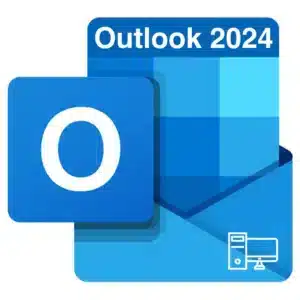
- Microsoft Outlook 2024 as a standalone perpetual license, for either 1 Mac or 1 Windows 10 or 11 PC, at $59.99. One payment, no subscription, no renewal date.This is the full desktop Outlook client, not the free web version and not the built-in Mail app. You get mail, calendar, contacts, tasks, rules, categories and a full offline copy of your mailbox.
Why buy Outlook on its own
Most people arrive here for one of two reasons, and both are good ones.- You bought Office 2024 Home and found it has no Outlook. Office 2024 Home includes Word, Excel, PowerPoint and OneNote only. Adding this license gives you the complete set for less than buying a different suite.
- You already have Word and Excel from an older Office and only need to add email, calendar and contacts on the desktop.
Outlook on a Mac
This license covers macOS as well as Windows, and the Mac version is the full desktop client, not a cut-down build. The requirement is macOS 13 Ventura or later. Check yours under the Apple menu, then About This Mac. There is a free tier of Outlook for Mac for personal email accounts, and for a single Gmail or iCloud address it may be all you need. It does not handle an Exchange or Microsoft 365 work mailbox properly, which is why businesses buy a licensed copy. Our beginner’s guide to the new Outlook for Mac walks through first-run setup, and the guide to the new Outlook on Windows covers the same on a PC.Classic Outlook or new Outlook?
Microsoft ships both, and a perpetual license includes both. You switch between them with a toggle in the top corner, so buying does not lock you into either.
If you depend on macros, COM add-ins or PST archives, stay on classic. Our rundown of the advanced Outlook features worth learning covers rules, quick steps and the parts most people never turn on.Classic New Included with this license Yes Yes VBA and macros Yes No COM add-ins Yes Limited PST file support Yes Limited Offline mailbox Yes Yes Shared and delegated mailboxes Yes Improving, still gaps What this license does not include
- An email account. Outlook is a client, not a mailbox. You still need email from a provider, whether that is Gmail, iCloud, your web host or Microsoft 365.
- Copilot. That requires an active Microsoft 365 subscription, and no perpetual Office license includes it.
- Cloud storage. There is no OneDrive allocation attached.
- New features. Security and stability updates only. The feature set is locked at the 2024 release.
- A second device. One license, one Mac or one PC.
After you order
Delivery is by email, normally within 5 to 60 minutes, with a genuine Microsoft product key, the official download link and written install instructions. Redeem the key against a Microsoft account, download, install and sign in to activate. Most email providers are detected from the address alone. Weighing this against a subscription? Our comparison of Microsoft 365 and Office 2024 does the arithmetic over five years. Call +1 346-251-0215 if you are not sure whether you need Outlook alone or the full suite, and we will work out which is cheaper for you.
Discover more from Indigo Software
Subscribe to get the latest posts sent to your email.