


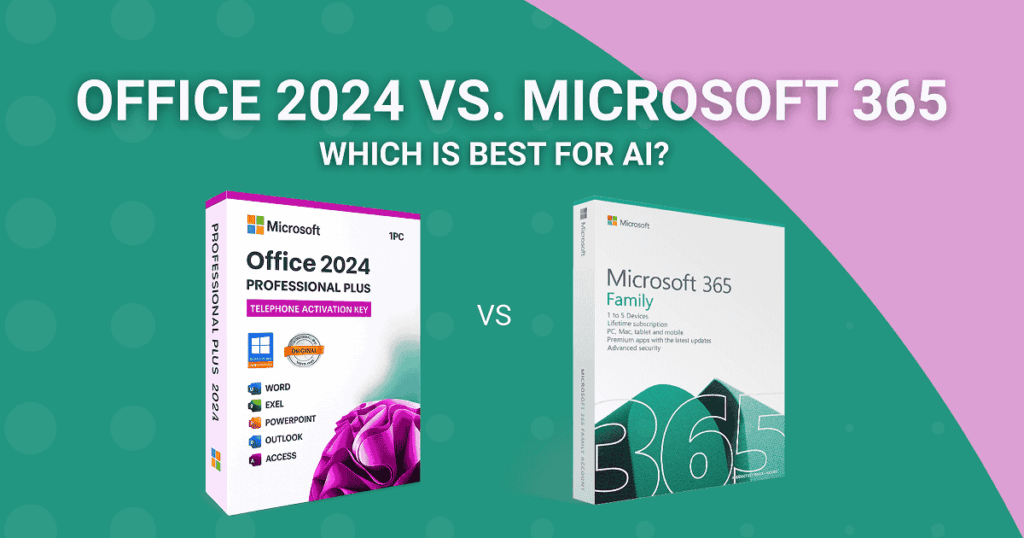
Deciding between a one-time software purchase and a monthly subscription used to be a simple math problem. You’d look at the price, calculate how many years you planned to keep your computer, and pick the cheapest path. But lately, the conversation has shifted. It’s no longer just about the “rent vs. own” debate; it’s about brains—specifically, artificial intelligence.
With the release of Office 2024, Microsoft has given us a fresh, “frozen-in-time” version of the classic apps we love. Meanwhile, Microsoft 365 continues to evolve like a living organism, constantly adding new tricks. If you’re looking to bring AI into your workflow, the choice between Office 2024 vs 365 is the most important tech decision you’ll make this year.
Let’s be honest: nobody wants to buy a brand-new suite of tools only to realize six months later that they’re missing out on the AI revolution. So, let’s pull back the curtain and see which version actually has the “smartest” tools for your desk.
The AI Elephant in the Room: Microsoft Copilot
If you’ve been following tech news at all, you’ve heard of Microsoft Copilot. It’s the AI assistant that promises to draft your emails, summarize your meetings, and even build entire PowerPoint decks from a single prompt.
Here is the catch: Copilot isn’t a “set it and forget it” feature. It requires a massive amount of cloud computing power to function. Because of that, the Office 2024 one-time purchase version does not include built-in Copilot integration.
Microsoft 365 is the only place where you get the “deep” AI integration. While you can use the free web version of Copilot alongside Office 2024, it won’t be able to “read” your open Word document or automatically format your Excel tables in real-time. For that seamless, “do it for me” experience, the subscription model is currently the only gateway.
AI in Excel: Automating the Boring Stuff
Excel has always been the intimidating sibling in the Office family. We all know it’s powerful, but most of us only use about 5% of what it can actually do. AI is changing that by acting as a translator between your human brain and Excel’s complex formulas.
Data Analysis Without the Stress
Microsoft 365 has AI in Excel (powered by Copilot) that lets you ask questions in plain English. You don’t need to look for a VLOOKUP formula; just type “Show me the sales trends for last quarter and highlight the regions that aren’t doing well.” The AI looks at the data, makes the charts, and writes the formulas for you.
What about the 2024 office?
Office 2024 is not a slouch, don’t get me wrong. It has a number of new features and better performance that make it feel faster than the 2021 version. But it doesn’t have the generative AI that “thinks” with you. You can still use “Analyze Data,” which is a useful tool that suggests charts, but it’s not the same as the 365 version, which is more conversational and proactive.
Office 2024 vs. 365: A Quick Comparison
When you’re trying to decide if you should buy Office 2024 or stick with a subscription, it helps to see the cold, hard facts side-by-side.
| Feature | Office 2024 (One-Time) | Microsoft 365 (Subscription) |
| Payment | Single Upfront Cost | Monthly/Annual Fee |
| AI Integration | Basic / Web-based only | Deep In-App Copilot |
| Updates | Security patches only | Constant feature updates |
| Cloud Storage | None included | 1TB OneDrive |
| Multi-Device | 1 PC or Mac | Up to 5 devices simultaneously |
For many, the draw of Office 2024 Home and Business is the peace of mind. You own it. No surprise charges on your credit card next year. If you don’t need an AI to write your letters for you, this is the most cost-effective way to get genuine Microsoft tools.
Real-World Scenarios: Who Wins?
To make this a bit more relatable, let’s look at two hypothetical users.
Scenario A: The Focused Freelancer
Meet Sarah. She’s a copywriter who spends 90% of her time in Word. She doesn’t like distractions and prefers her tools to stay exactly where she left them. She doesn’t want the interface to change every time Microsoft releases an update. Sarah’s dream is Office 2024. She only has to pay once to get a copy of Word and Outlook that works perfectly, and she doesn’t have to worry about losing access to her work if her subscription runs out.
Scenario B: The Consultant Who Uses Data
Mark is next. Mark works with complicated supply chains and uses Excel and Teams all the time. He has to quickly sum up hour-long meetings and use AI to find mistakes in huge spreadsheets. Microsoft 365 isn’t just a nice-to-have for Mark; it’s a must-have. The money he saves by using AI in Excel more than makes up for the monthly fee.
The “Offline” Advantage of Office 2024
You might be thinking, “Why would anyone want 2024 if 365 has all the cool AI stuff?” There is a very human reason: Privacy and Control. Your data has to go to Microsoft’s servers to be processed because AI features like Copilot use the cloud. That’s not an option for some businesses, like law firms, medical offices, or government contractors. You can work completely offline with Office 2024. Your files stay on your hard drive, and no AI is “learning” from them.
If you value a “walled garden” approach to your work, the perpetual license is still the gold standard. You can explore the full range of these stable, “buy-once” options in the Indigo Software collection.
Is Office 2024 “Future-Proof”?
This is the billion-dollar question. If you buy Office 2024 today, are you buying a relic?
Not exactly. Microsoft has committed to supporting Office 2024 for at least five years with security updates. While you won’t get the latest AI bells and whistles that might come out in 2027, the core functionality of Word, Excel, and PowerPoint isn’t going to change very much. A bold guess: most of the “must-have” features of the next ten years are already here.
If you are the kind of person who uses a laptop for 6 to 7 years before getting a new one, it makes a lot of sense to buy it once. You don’t have to deal with the “subscription fatigue” that is going around in the software world right now.
FAQs:
1. Does Office 2024 include Microsoft Copilot?
A: No. To use Copilot directly inside your desktop apps (Word, Excel, PPT), you need a Microsoft 365 subscription and a separate Copilot Pro or Business add-on.
2. Can I use AI in Excel if I buy Office 2024?
A: You won’t have the interactive Copilot chat, but you can still use the “Analyze Data” feature. For advanced AI functions, you would need to manually copy data into a web-based AI like ChatGPT or the free version of Copilot.
3. Is Office 2024 faster than the 2021 version?
A: Yes! Microsoft has optimized the suite for Windows 11 and improved the recovery of unsaved files. It feels much smoother on modern hardware.
4. Can I upgrade from Office 2024 to 365 later?
A: Absolutely. You can switch to a subscription at any time, but keep in mind that the money you spent on the 2024 license doesn’t “credit” toward the subscription cost.
5. Does Office 2024 require an internet connection?
A: Only for the initial activation and occasional security updates. Otherwise, you can stay offline for as long as you want—no “checking in” required.
Final Thoughts: The Best Choice for You
How you work is what the Office 2024 vs. 365 debate comes down to.
Microsoft 365 is the place to be if you want to be at the cutting edge of productivity, with Microsoft Copilot Office 2024 equivalents and high-level AI in Excel. It’s a tool that gets better as you do.
Office 2024 is a great release, though, if you want a set of tools that are reliable, private, and permanent and won’t ask for your credit card every month. For people who just want to get the job done without all the extra stuff that comes with a subscription, it’s the “pro” choice.
Ready to make your choice? Check out our unbeatable prices on genuine Microsoft licenses and take control of your digital workspace today. Whether you’re going AI-first or traditional, we’ve got the keys you need.
Discover more from Indigo Software
Subscribe to get the latest posts sent to your email.


